 语音小管家
语音小管家Edge-TTS是由微软推出的文本转语音Python库,通过微软Azure Cognitive Services转化文本为自然语音。适合需要语音功能的开发者,GitHub上超3000星。作为国内付费TTS服务的替代品,Edge-TTS支持40多种语言和300种声音,提供优质的语音输出,满足不同开发需求。
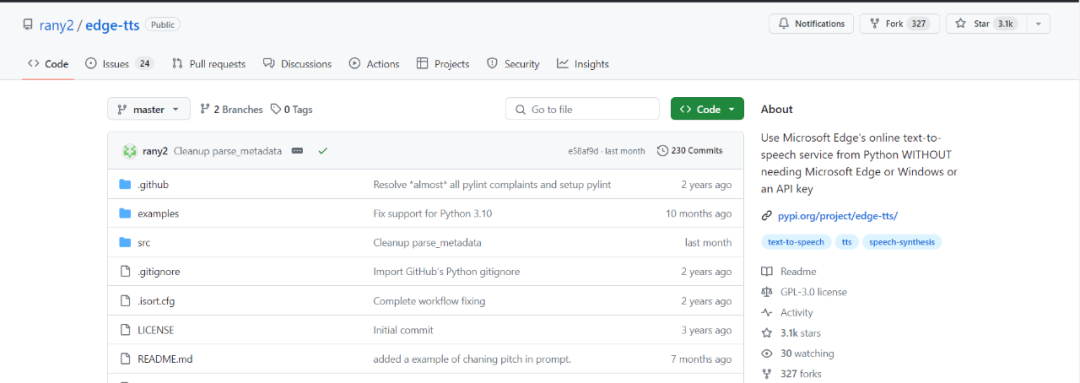
Edge-TTS项目地址:https://github.com/rany2/edge-tts
1.安装部署
首先,你需要通过Python包管理工具pip来安装Edge-TTS库。只需在命令行中输入以下命令(没有python环境的自行配置一下):
pip install edge-tts 如果只想使用edge-tts和edge-playback命令,最好使用 pipx:
pipx install edge-tts 我们先来个hello world,只需要一行代码!
edge-tts --text "hello world" --write-media hello.mp3 如果你想立即播放带有字幕的内容,可以使用以下edge-playback命令:
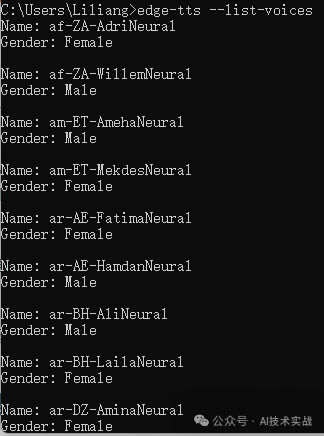
edge-playback --text "Hello, world!" edge-tts支持英语、汉语、日语、韩语、法语等40多种语言,共300多种可选声音,执行以下命令查询:
edge-tts --list-voices 如下图所示:
edge-tts --voice zh-CN-YunyangNeural --text "大家好,欢迎关注语音之家,语音之家是一个助理AI语音开发者的社区。" --write-media hello_in_cn.mp3 4.调整语速、音量和音调
可以对生成的语音进行细微修改。
$ edge-tts --rate=-50% --text "Hello, world!" --write-media hello_with_rate_halved.mp3 --write-subtitles hello_with_rate_halved.vtt
$ edge-tts --volume=-50% --text "Hello, world!" --write-media hello_with_volume_halved.mp3 --write-subtitles hello_with_volume_halved.vtt
$ edge-tts --pitch=-50Hz --text "Hello, world!" --write-media hello_with_pitch_halved.mp3 --write-subtitles hello_with_pitch_halved.vtt 5.使用代码转换
上面都是用命令转换,我们也可以写代码调用,开发http接口来提供语音合成服务。
以下是一个代码示例,将代码保存到一个文件中,如tts.py。
#!/usr/bin/env python3

"""
Basic example of edge_tts usage.
"""

import asyncio

import edge_tts

TEXT = "大家好,欢迎关注语音之家,语音之家是一个助理AI语音开发者的社区。"
VOICE = "zh-CN-YunyangNeural"
OUTPUT_FILE = "d:/test.mp3"


async def amain() -> None:
    """Main function"""
    communicate = edge_tts.Communicate(TEXT, VOICE)
    await communicate.save(OUTPUT_FILE)


if __name__ == "__main__":
    loop = asyncio.get_event_loop_policy().get_event_loop()
    try:
        loop.run_until_complete(amain())
    finally:
        loop.close()
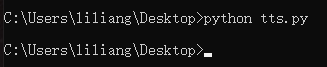
运行python tts.py,稍等即可在d盘生成合成后的音频test.mp3。
edge-playback 实际上是 edge-tts 的一个封装,用于播放生成的语音。它接受与 edge-tts 选项相同的参数。